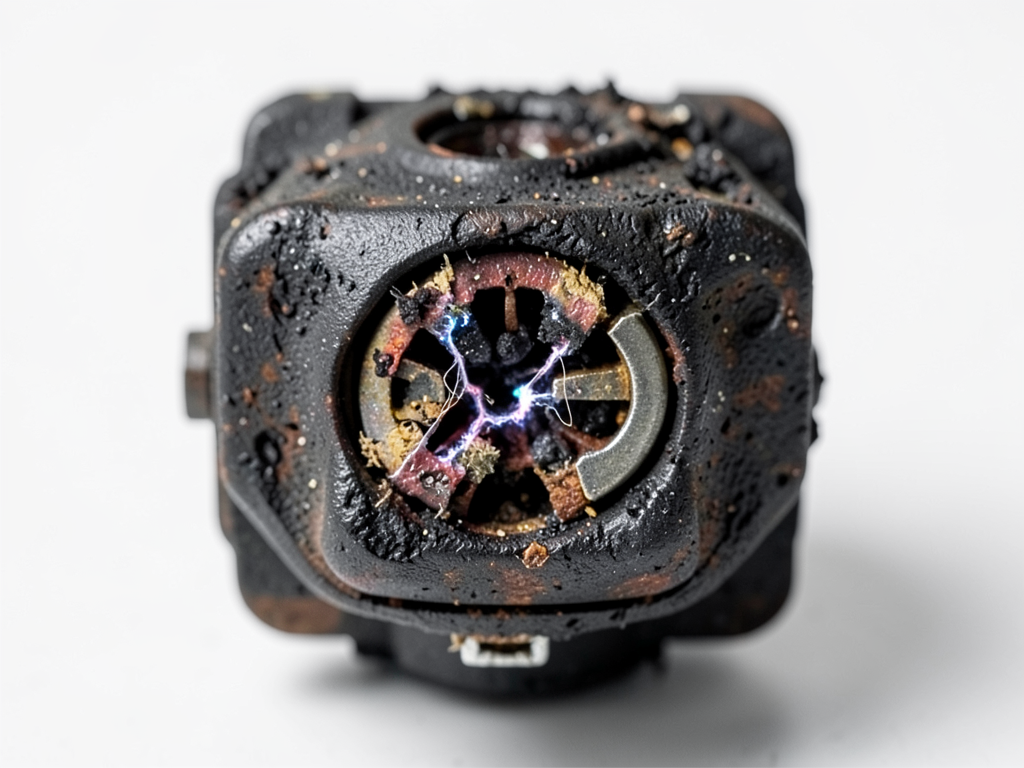
How Florida Lizards and Ants Can Actually Short Out Your Lutz AC Unit
Your AC suddenly stops working on a 95-degree Tampa afternoon. The culprit might be smaller than you think. Florida’s heat and humidity drive lizards and ants to seek cool shelter inside your outdoor AC unit. Once inside these pests can short out the contactor leaving you without cooling when you need it most.
The contactor is a critical electrical switch that controls power to your compressor and fan motors. When lizards crawl across the contacts or ants build nests inside they create electrical bridges that cause arcing pitting and eventual failure. This is not just an inconvenience. It is a common cause of emergency AC calls throughout Lutz and surrounding Tampa neighborhoods.
Why Florida’s Climate Makes Your AC a Pest Magnet
Florida’s combination of high humidity intense heat and frequent afternoon thunderstorms creates perfect conditions for pest problems in AC units. The outdoor condenser provides shade moisture and protection from predators that lizards and ants need to survive.
Tampa’s average humidity stays above 70% most of the year creating condensation on electrical components. This moisture attracts insects while the warm electrical currents from the contactor create electromagnetic fields that some ant species navigate using. The result is a perfect storm where your AC becomes both a habitat and a navigation target.
According to the University of Florida IFAS Extension Florida hosts over 20 species of lizards and hundreds of ant species many of which have adapted to urban environments. The state’s building codes require outdoor units to be installed on concrete pads but these pads do not prevent pests from climbing inside through the bottom or sides. University of Florida IFAS Extension on Caribbean Crazy Ants.
Common AC Pests in Tampa and Their Electrical Attraction
Caribbean Crazy Ants are particularly problematic in Tampa. These ants form supercolonies and are attracted to electrical equipment. They do not just crawl across contacts. They swarm in such numbers that their bodies create conductive paths between terminals.
Fire ants also invade AC units building nests inside the condenser housing. Their mounds can block airflow and their acidic secretions corrode electrical connections. Lizards especially green anoles and brown anoles seek the cool interior of running AC units and can cause shorts when they bridge electrical contacts.
The Florida Department of Agriculture notes that Crazy Ants are responsible for numerous electrical failures in homes and businesses across the state. Their behavior of forming bridges with their bodies makes them uniquely dangerous to low-voltage control circuits and high-voltage switching components.
Signs Your AC Contactor Has Been Compromised by Pests
Recognizing pest-related AC problems early can prevent complete system failure. Here are the warning signs that indicate ants or lizards have invaded your contactor.
- Clicking sounds from the outdoor unit – The contactor rapidly opening and closing due to partial shorts
- Burning smell near the condenser – Arcing between contacts creates ozone and burning odors
- AC won’t start but the thermostat is calling for cooling – The contactor fails to engage
- Intermittent cooling – The contactor works sometimes but fails when pests move
- Visible ant trails or lizard droppings around the unit – Physical evidence of pest activity
The contactor itself shows specific damage patterns. Pitting on the contact surfaces appears as small craters where electrical arcing has occurred. If you see blackened or melted areas on the contactor immediate replacement is necessary.
The Science Behind Pest Electrical Attraction
Many insects navigate using Earth’s magnetic field and can detect electromagnetic fields. When your AC contactor energizes it creates a small electromagnetic field that some ant species follow like a beacon. The 24-volt control circuit that powers the contactor coil emits frequencies that certain insects can sense.
Lizards are attracted to the heat differential. When your AC runs the exterior of the condenser can be 20-30 degrees cooler than the surrounding air. This temperature difference creates thermal currents that lizards detect and follow into the unit for shelter.
The National Pest Management Association reports that electrical equipment failures due to pest intrusion cost American homeowners millions annually. In Florida’s climate these failures peak during the summer months when AC units run continuously. National Pest Management Association on electrical equipment damage.
DIY Inspection What to Look For But Don’t Touch
Before calling a professional you can perform a safe visual inspection of your outdoor unit. Look for these signs of pest intrusion.
- Power Down Completely
Turn off the AC at the thermostat AND the circuit breaker. Wait 5 minutes for capacitors to discharge.
- Remove the Top Panel
Most units have screws on the top or sides. Keep screws organized for reassembly.
- Look for Physical Evidence
Check for ant trails nests lizard droppings or dead insects near the contactor.
- Inspect the Contactor
Look for pitting burning or melted plastic on the contactor body.
Critical Safety Warning: The contactor handles 220-240 volts. Even with power off capacitors can store lethal charges. Never touch electrical components with bare hands or metal tools. If you see any damage call a licensed HVAC technician immediately.
Professional Repair vs DIY Cleaning
Many homeowners wonder if they can simply clean out the ants and be done. The answer is usually no. Here is why professional replacement is the safer choice. Why Most Carrollwood Homeowners Choose Local HVAC Experts Over Big Box Brands.
| Factor | DIY Cleaning | Professional Replacement |
|---|---|---|
| Safety Risk | High – 240V exposure | Low – Technician trained |
| Success Rate | 30% – Often incomplete | 95% – Complete solution |
| Warranty Impact | May void equipment warranty | Maintains warranty coverage |
| Long-term Prevention | None – pests return | Built-in pest barriers |
| Cost Range | $0-50 (your time/risk) | $150-300 (parts/labor) |
| Factor | Cost Impact | Typical Range |
|---|---|---|
| Contactor Type | Standard vs. sealed | $50-150 |
| Labor Time | 30-60 minutes typical | $75-150 |
| Pest Damage Extent | Additional repairs needed | $0-300 |
| Emergency Service | After-hours premium | $50-100 |
| Travel Distance | Fuel/time surcharge | $0-50 |
Most homeowners in Lutz pay between $200-350 for emergency contactor replacement including parts and labor. This investment prevents more costly compressor damage that can occur when contactors fail completely.
Long-Term Solutions for Pest-Prone Areas
If you live in a particularly pest-prone area of Tampa consider these long-term solutions.
Sealed Unit Enclosures
Custom-built enclosures with proper ventilation can keep pests out while protecting your unit from Florida’s intense sun and rain. These enclosures pay for themselves through extended equipment life.
Smart AC Controls
Install a smart thermostat that monitors electrical current to your outdoor unit. These systems can detect irregular patterns that indicate pest-related shorts and alert you before complete failure occurs.
Regular Professional Maintenance
Annual maintenance contracts include contactor inspection and cleaning. Technicians can spot early signs of pest activity and address them before they cause system failure.
Local Building Codes and Pest Prevention
The Florida Building Code Section 316.3 requires that outdoor mechanical equipment be installed to prevent pest intrusion where practical. While this does not mandate specific pest barriers it does require that installations follow manufacturer guidelines and good building practices.
Hillsborough County also enforces the Florida Administrative Code Rule 5B-55.002 regarding pesticide application near HVAC equipment. This means that any chemical treatments must be applied by licensed professionals who understand the compatibility of pesticides with aluminum and copper components.
Why Lutz Homes Are Particularly Vulnerable
Lutz’s unique combination of wooded areas older homes and proximity to water bodies makes it a hotspot for pest-related AC problems. Many homes in zip codes 33548 33549 and 33558 were built during the 1970s-1990s boom when building practices were less focused on pest prevention.
The area’s many mature oak trees and pine forests provide perfect habitats for lizards and ants that then migrate to nearby homes. Additionally Lutz’s location north of Tampa means it experiences slightly cooler evening temperatures that can drive pests to seek the warmth of electrical equipment.
Commercial Properties Face Unique Challenges
Businesses in Tampa’s commercial districts face additional pest risks. Restaurants with outdoor dumpster areas attract larger pest populations that can migrate to nearby rooftop units. Shopping centers with multiple AC units create superhabitats where pests can move between units if one becomes uninhabitable. Reliable Commercial HVAC Services for Temple Terrace Business Owners.
Commercial properties should consider quarterly pest inspections in addition to regular HVAC maintenance. The cost of prevention is far less than the lost revenue from a failed cooling system during Florida’s hottest months.
Frequently Asked Questions
Can I just spray bug killer around my AC unit?
No. Most insecticides can corrode aluminum fins and damage electrical components. Use only products specifically labeled as safe for use near HVAC equipment or better yet install physical barriers instead.
How long does it take to replace a contactor?
A professional technician can typically replace a contactor in 30-45 minutes. Emergency calls may take longer if the technician needs to retrieve specific parts from their truck or warehouse.
Will my AC warranty cover pest damage?
Most manufacturer warranties exclude damage from external causes like pests weather or improper maintenance. However some extended warranty plans may cover these issues. Check your specific warranty documentation. Troubleshooting AC Issues.
How can I tell if the problem is the contactor or something else?
If your AC won’t start but you hear clicking from the outdoor unit the contactor is the most likely culprit. However other issues like failed capacitors or thermostat problems can cause similar symptoms. A professional diagnosis is recommended.
Call Peak HVAC Tampa Today
Do not let Florida’s pests leave you without cooling when you need it most. Our experienced technicians understand the unique challenges that Tampa’s climate creates for AC systems. We carry common contactor sizes on every truck and can diagnose and repair pest-related issues quickly.
Call (656) 237-5377 today to schedule your inspection or emergency service. We serve Lutz Land O’ Lakes and all surrounding Tampa Bay communities with fast reliable HVAC repair that keeps your home comfortable year-round.
Do not wait until your AC fails completely. Pick up the phone and call (656) 237-5377 before the next afternoon thunderstorm hits. Your comfort is our priority and we are ready to help 24/7.
{
“@context”: “https://schema.org”,
“@type”: “BlogPosting”,
“headline”: “How Florida Lizards and Ants Can Actually Short Out Your Lutz AC Unit”,
“description”: “Florida lizards and ants can short out your AC contactor causing system failure. Learn the signs, prevention, and when to call Peak HVAC Tampa for emergency service.”,
“wordCount”: 2001,
“datePublished”: “2026-06-08T09:26:00.000Z”,
“dateModified”: “2026-06-08T09:26:00.000Z”,
“inLanguage”: “en-US”,
“mainEntityOfPage”: {
“@type”: “WebPage”,
“@id”: “https://peakhvactampa.com”
},
“publisher”: {
“@type”: “LocalBusiness”,
“name”: “Peak HVAC Tampa”,
“url”: “https://peakhvactampa.com”
},
“author”: {
“@type”: “Organization”,
“name”: “Peak HVAC Tampa”,
“url”: “https://peakhvactampa.com”
},
“image”: {
“@type”: “ImageObject”,
“url”: “https://peakhvactampa.com/wp-content/uploads/2026/03/how-florida-lizards-and-ants-can-actually-short-ou-1.png”
}
}
{
“@context”: “https://schema.org”,
“@type”: “HVACBusiness”,
“name”: “Peak HVAC Tampa”,
“url”: “https://peakhvactampa.com”,
“address”: {
“@type”: “PostalAddress”,
“addressLocality”: “Tampa”
},
“areaServed”: {
“@type”: “City”,
“name”: “Tampa”
}
}
{
“@context”: “https://schema.org”,
“@type”: “FAQPage”,
“mainEntity”: [
{
“@type”: “Question”,
“name”: “Can I just spray bug killer around my AC unit?”,
“acceptedAnswer”: {
“@type”: “Answer”,
“text”: “No. Most insecticides can corrode aluminum fins and damage electrical components. Use only products specifically labeled as safe for use near HVAC equipment or better yet install physical barriers instead.”
}
},
{
“@type”: “Question”,
“name”: “How long does it take to replace a contactor?”,
“acceptedAnswer”: {
“@type”: “Answer”,
“text”: “A professional technician can typically replace a contactor in 30-45 minutes. Emergency calls may take longer if the technician needs to retrieve specific parts from their truck or warehouse.”
}
},
{
“@type”: “Question”,
“name”: “Will my AC warranty cover pest damage?”,
“acceptedAnswer”: {
“@type”: “Answer”,
“text”: “Most manufacturer warranties exclude damage from external causes like pests weather or improper maintenance. However some extended warranty plans may cover these issues. Check your specific warranty documentation. Troubleshooting AC Issues.”
}
},
{
“@type”: “Question”,
“name”: “How can I tell if the problem is the contactor or something else?”,
“acceptedAnswer”: {
“@type”: “Answer”,
“text”: “If your AC won’t start but you hear clicking from the outdoor unit the contactor is the most likely culprit. However other issues like failed capacitors or thermostat problems can cause similar symptoms. A professional diagnosis is recommended.”
}
}
]
}
{
“@context”: “https://schema.org”,
“@type”: “HowTo”,
“name”: “How to Inspect Your AC Contactor Safely”,
“step”: [
{
“@type”: “HowToStep”,
“position”: 1,
“name”: “Power Down Completely”,
“text”: “Turn off the AC at the thermostat AND the circuit breaker. Wait 5 minutes for capacitors to discharge.”
},
{
“@type”: “HowToStep”,
“position”: 2,
“name”: “Remove the Top Panel”,
“text”: “Most units have screws on the top or sides. Keep screws organized for reassembly.”
},
{
“@type”: “HowToStep”,
“position”: 3,
“name”: “Look for Physical Evidence”,
“text”: “Check for ant trails nests lizard droppings or dead insects near the contactor.”
},
{
“@type”: “HowToStep”,
“position”: 4,
“name”: “Inspect the Contactor”,
“text”: “Look for pitting burning or melted plastic on the contactor body.”
}
],
“image”: “https://peakhvactampa.com/wp-content/uploads/2026/03/how-florida-lizards-and-ants-can-actually-short-ou-1.png”
}
{
“@context”: “https://schema.org”,
“@type”: “BreadcrumbList”,
“itemListElement”: [
{
“@type”: “ListItem”,
“position”: 1,
“name”: “Home”,
“item”: “https://peakhvactampa.com”
},
{
“@type”: “ListItem”,
“position”: 2,
“name”: “Blog”,
“item”: “https://peakhvactampa.com/blog”
},
{
“@type”: “ListItem”,
“position”: 3,
“name”: “How Florida Lizards and Ants Can Actually Short Out Your Lutz AC Unit”
}
]
}
{
“@context”: “https://schema.org”,
“@type”: “Service”,
“serviceType”: “HVAC”,
“provider”: {
“@type”: “LocalBusiness”,
“name”: “Peak HVAC Tampa”,
“url”: “https://peakhvactampa.com”
},
“areaServed”: {
“@type”: “City”,
“name”: “Tampa”
},
“description”: “Florida lizards and ants can short out your AC contactor causing system failure. Learn the signs, prevention, and when to call Peak HVAC Tampa for emergency service.”
}
